

Trackpilots vs Workfolio: Full Stealth Monitoring vs Basic Time Tracking
Workfolio is a popular free time-tracking tool — but it's built for visible, employee-facing tracking only, with no stealth mode and limited screenshot depth even on its paid Pro tier. Trackpilots gives you free screenshot monitoring, app and website tracking, and true stealth mode for unlimited users, with a paid Starter Pack at $3.99/user/month for teams that need more. This page compares every feature so you can choose with confidence.
Trackpilots vs Workfolio 2026 — Full Feature Table
A direct comparison across the criteria that matter most for small and medium business teams evaluating a Workfolio alternative.
| Feature | Trackpilots | Workfolio |
|---|---|---|
| Free Plan | ✓ Unlimited users — free forever, includes screenshots | ✓ Free — basic time tracking only |
| Stealth / Invisible Mode | ✓ Built-in (Starter Pack) | ✗ Not available at any tier |
| Screenshot Monitoring | ✓ Free — every 20 min; 1 min on paid | Limited, visible-only on Pro plan |
| Paid Plan Price | ✓ $3.99/user/month | $2.99–$3.99/user/month |
| App & Website Tracking | ✓ Free plan | Basic app tracking on Pro |
| Attendance Tracking | ✓ Included on free plan | ✓ Included |
| Inactivity Alerts | ✓ Starter Pack | ✗ Not available |
| Productivity Analytics | ✓ Real-time dashboard with AI classification | Basic timesheet reports only |
| Linux Support | ✓ Windows, macOS, Linux | Windows, macOS only |
Pricing accurate as of June 2026. Verify current terms on each vendor's website.
Trackpilots in Action
A real look at the dashboard and monitoring features you get free with Trackpilots — no demo request needed to compare against Workfolio.
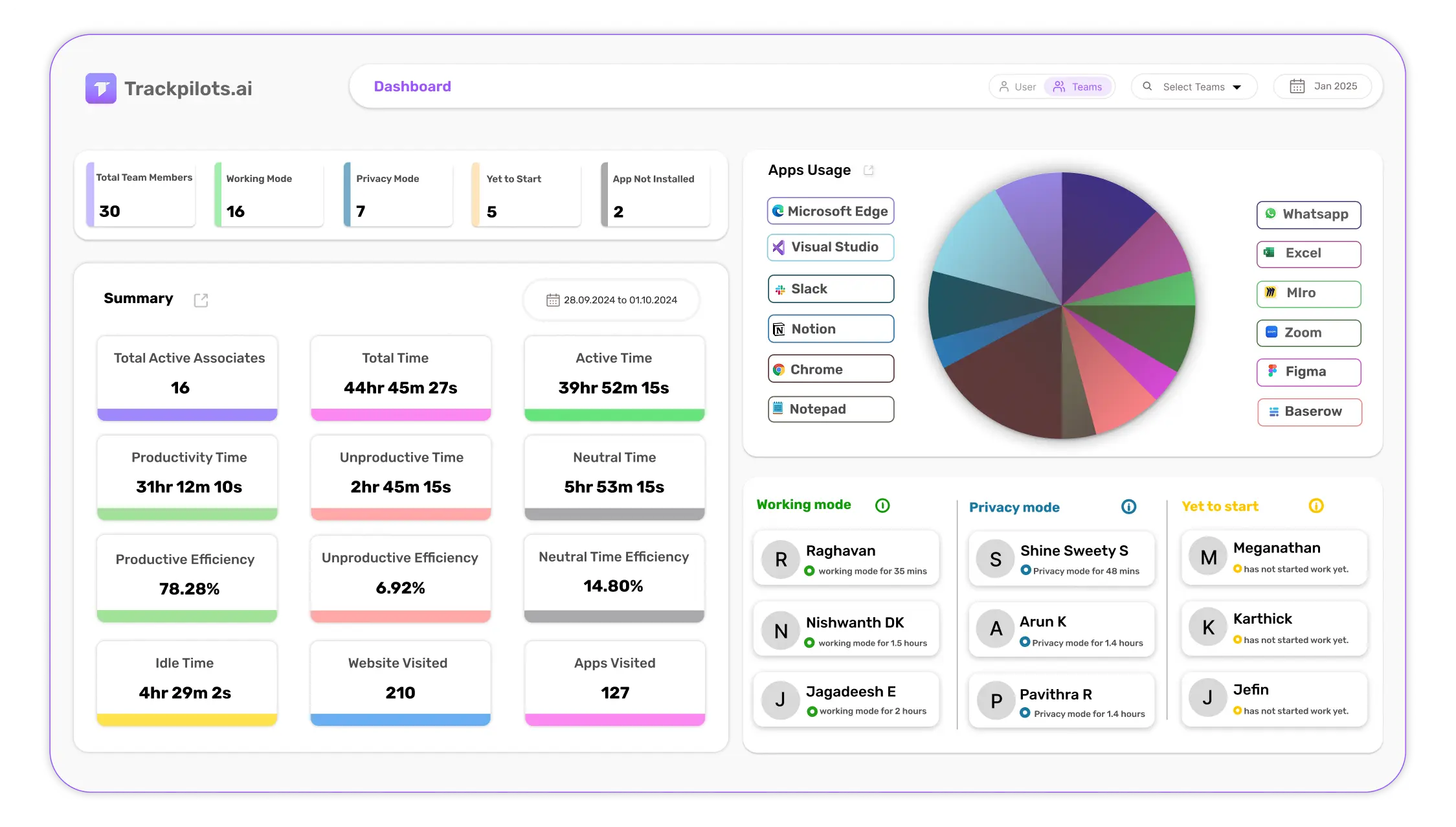
Real-time productivity dashboard
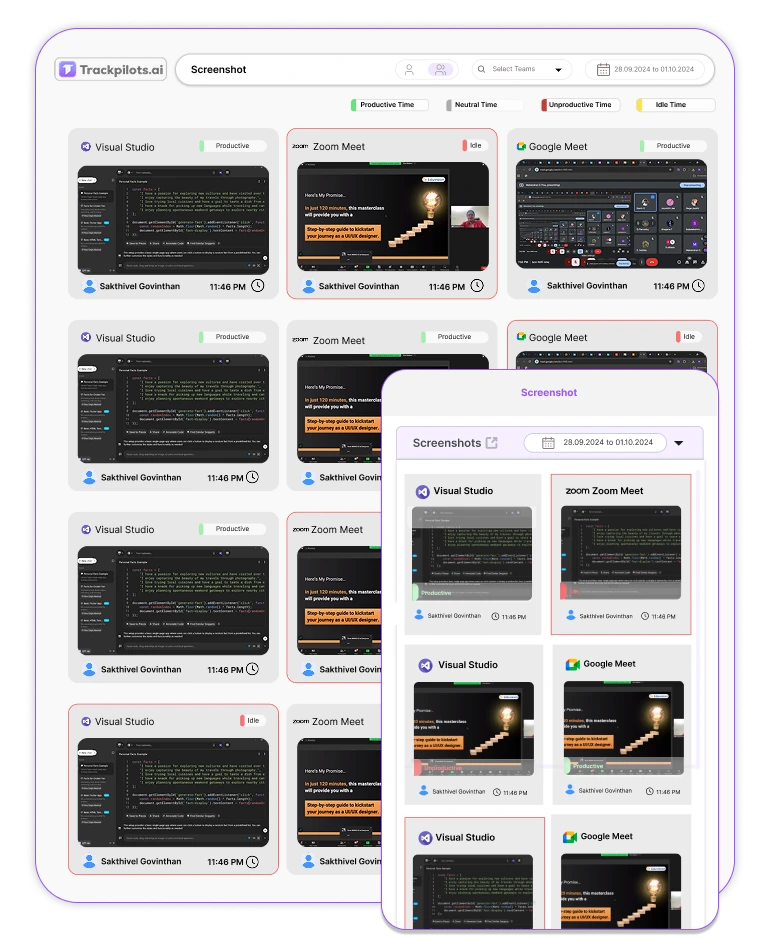
Invisible stealth monitoring mode
See How Much You Save vs Workfolio
Enter your team size to compare monthly cost between Trackpilots and Workfolio — all prices in USD.
Trackpilots / month
$39.90
$3.99/user × 10 users
Workfolio / month
$29.90
$2.99/user × 10 users
You save / year
$0.00
—
Estimates based on publicly listed USD pricing as of May 2026. Trackpilots Free plan (unlimited users, $0) is not included in this calculator — actual savings are higher if any users stay on the free tier.
Trackpilots vs Workfolio: Which Fits Your Team?
Bootstrapped startups
If you need real productivity visibility (screenshots, app tracking) without spending anything, Trackpilots' free plan covers your whole team from day one.
Better fit: TrackpilotsTeams that only need timesheets
If all you need is lightweight clock-in/clock-out tracking with no monitoring depth, Workfolio's simplicity may be enough for now.
Better fit: WorkfolioRemote teams needing screenshot proof
Trackpilots' free plan includes screenshot capture for every user — Workfolio reserves this for its paid Pro tier.
Better fit: TrackpilotsTeams that may need covert oversight later
Only Trackpilots offers stealth mode; Workfolio has no path to invisible monitoring at any price.
Better fit: TrackpilotsWhy Teams Switch from Workfolio to Trackpilots
Workfolio's biggest draw is its free pricing, but the free tier is limited to basic time tracking — there's no real screenshot-based monitoring or productivity intelligence built in. Teams that need to verify remote work output, not just hours logged, quickly outgrow it. Trackpilots' free plan includes screenshot capture for unlimited users from day one, with no upgrade required to see what your team is actually working on.
Stealth monitoring is the other gap. Workfolio has no invisible mode at any price point — every employee sees the tracker actively running. For businesses that need authentic, unfiltered activity data without behavioral changes triggered by visible monitoring, this is a hard limitation. Trackpilots' Starter Pack includes true stealth mode with no visible system tray icon.
Reporting depth tells a similar story. Workfolio's reports are built around basic timesheets and attendance. Trackpilots adds AI-driven productivity classification, app and website usage breakdowns, daily insights, and custom reports — giving managers a complete picture rather than just clocked hours.
Workfolio's strength is its simplicity and price point for teams that genuinely only need lightweight time tracking with no monitoring depth. If that's all your team needs, Workfolio is a reasonable choice. For teams that need real visibility into remote productivity, Trackpilots delivers significantly more for a comparable or lower cost.
Our Verdict
For teams that need genuine monitoring — screenshots, stealth mode, and productivity analytics — rather than just clock-in/clock-out tracking, Trackpilots is the clear upgrade over Workfolio, and it's still free for unlimited users on the entry tier.
Choose Workfolio if all you need is the lightest possible time tracker with no monitoring depth. Choose Trackpilots for everything else.
Frequently Asked Questions
Is Workfolio completely free?
Workfolio markets itself as 100% free for basic time tracking and timesheets, but advanced monitoring features like detailed screenshots, stealth mode, and longer data retention require its Pro plan at roughly $2.99–$3.99/user/month. Trackpilots' free plan already includes screenshot monitoring for unlimited users at no cost.
Does Workfolio have stealth or silent monitoring?
No. Workfolio is built as a visible, employee-facing time tracker, with no invisible or stealth mode at any tier. Trackpilots' Starter Pack includes true stealth mode where the agent runs with no visible system tray icon.
What is the best alternative to Workfolio for deeper monitoring?
Trackpilots is the best alternative for teams that have outgrown basic time tracking — it adds screenshot capture, app and website tracking, inactivity alerts, and stealth mode, all starting on a free plan for unlimited users.
How does Trackpilots pricing compare to Workfolio?
Trackpilots' free plan covers screenshots and attendance at zero cost. Workfolio's free tier is limited to basic time tracking, with its Pro plan priced around $2.99–$3.99/user/month for fuller features — similar to Trackpilots' $3.99/user/month Starter Pack, but without stealth mode.
Is Workfolio good for freelancers?
Yes — Workfolio's free, lightweight time tracking works well for solo freelancers who don't need monitoring depth. Trackpilots is the better fit once you're managing a team and need screenshots or stealth mode.
Does Trackpilots support the same platforms as Workfolio?
Trackpilots supports Windows, macOS, and Linux. Workfolio supports Windows and macOS only — Trackpilots is the better choice for teams with Linux-based developers.
Switch to Trackpilots — Free for Your Entire Team
Set up takes under 10 minutes. Unlimited users, screenshot monitoring, attendance tracking, and productivity dashboards — all at a fraction of Workfolio's price. No credit card, no time limit.
Still Need Help?
Drop us a line at team@trackpilots.com or hit us up in the chat at the bottom right corner, and we'll help you out.