Enhancing Workplace Efficiency with App & Website Monitoring
Optimize productivity and monitor employee digital activities with real-time insights. Track app and website usage efficiently to ensure focused work habits and eliminate distractions.
Apps Usage
Activity Timeline
Website Usage
Screenshot Capturing
Free Trial
No Credit Card Required
Exclusive Support
What is Trackpilots Apps & Website Monitoring?
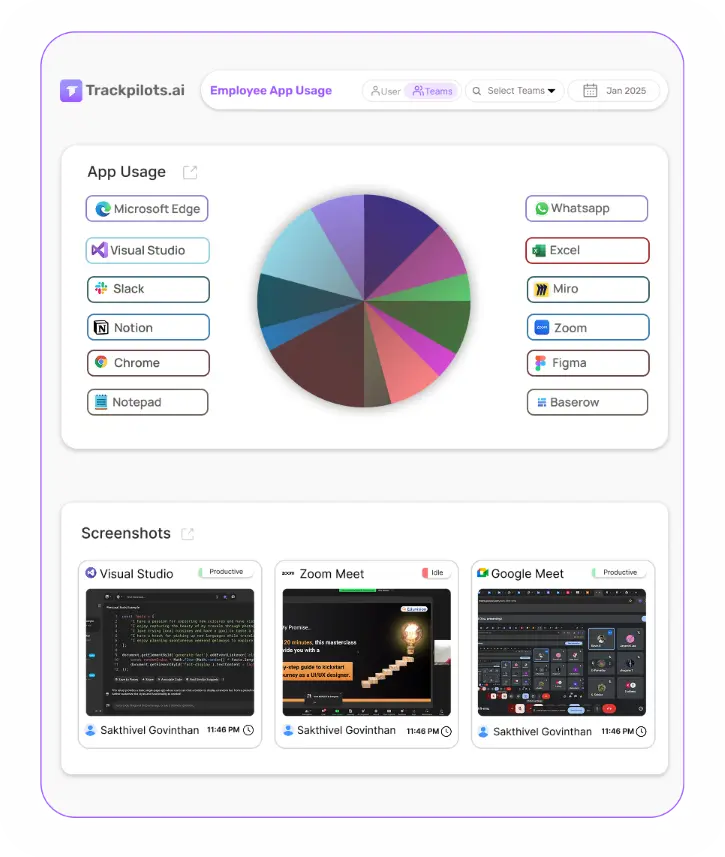
Trackpilots provides a complete Apps & Website Monitoring solution with Apps Usage, Activity Timeline, Website Usage, and Screenshot Capturing to enhance productivity, reduce distractions, and ensure workforce accountability.
Free 30 days trial
Exclusive Support
No Fees
All-in-One Apps & Website Monitoring Suite
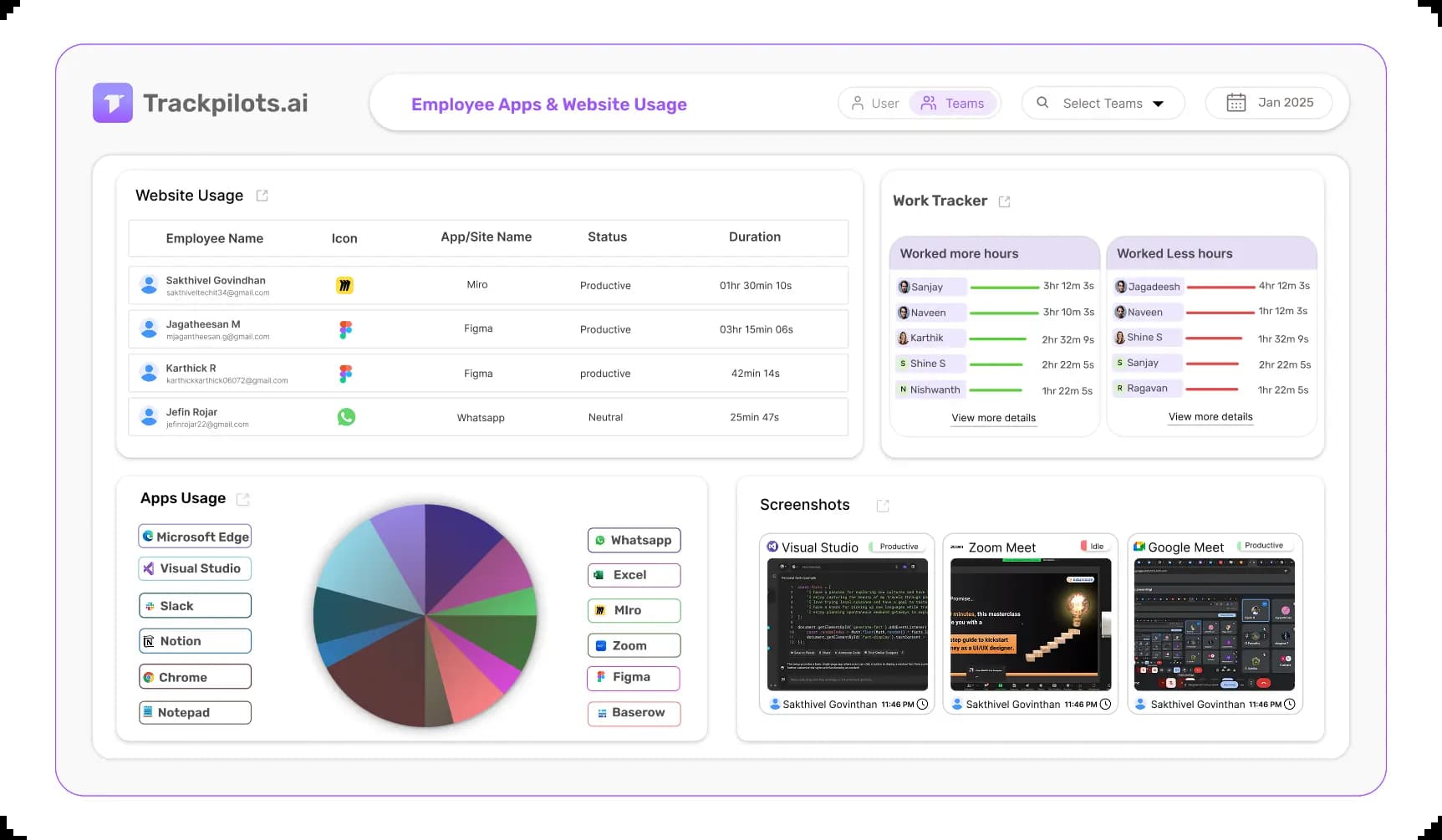
Trackpilots helps businesses track app and website usage, analyze activity timelines, and capture screenshots to improve productivity, optimize workflows, and ensure efficient digital habits.
Also see: employee screen capture software · computer activity monitoring
No Credit Card Required
Apps Usage
Track software application usage effortlessly.
Activity Timeline
View a detailed timeline of daily work activity.
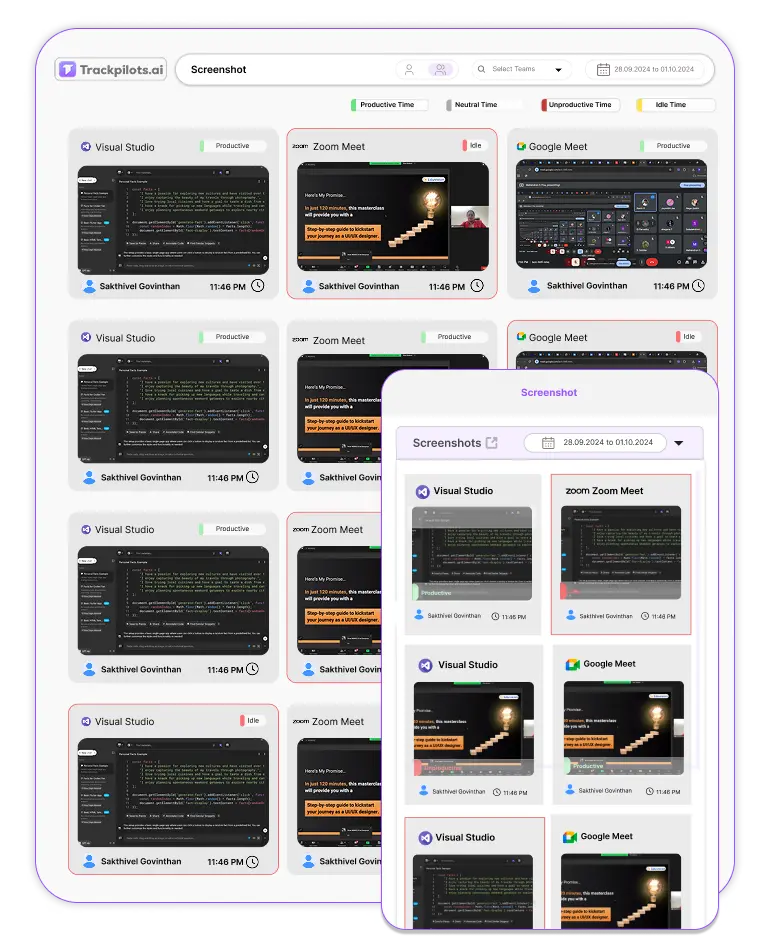
Website Usage
Monitor internet usage for workplace efficiency.
Screenshot Capturing
Capture real-time screenshots for better transparency.
Track software application usage effortlessly
Apps Usage monitors time spent on various applications.
It helps businesses analyze software utilization for productivity.
Managers can identify distractions and optimize workflows.
This feature ensures efficient software resource allocation.
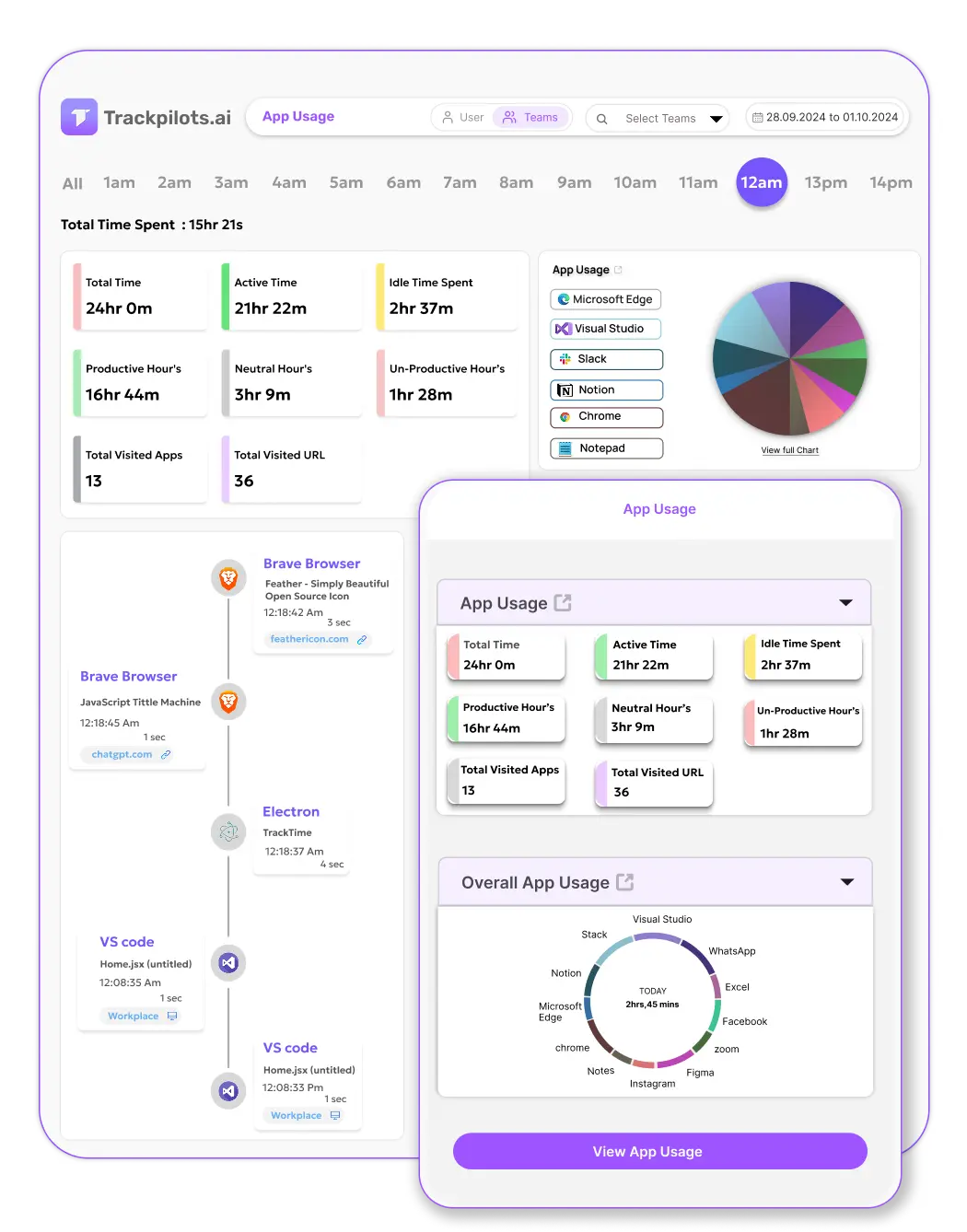
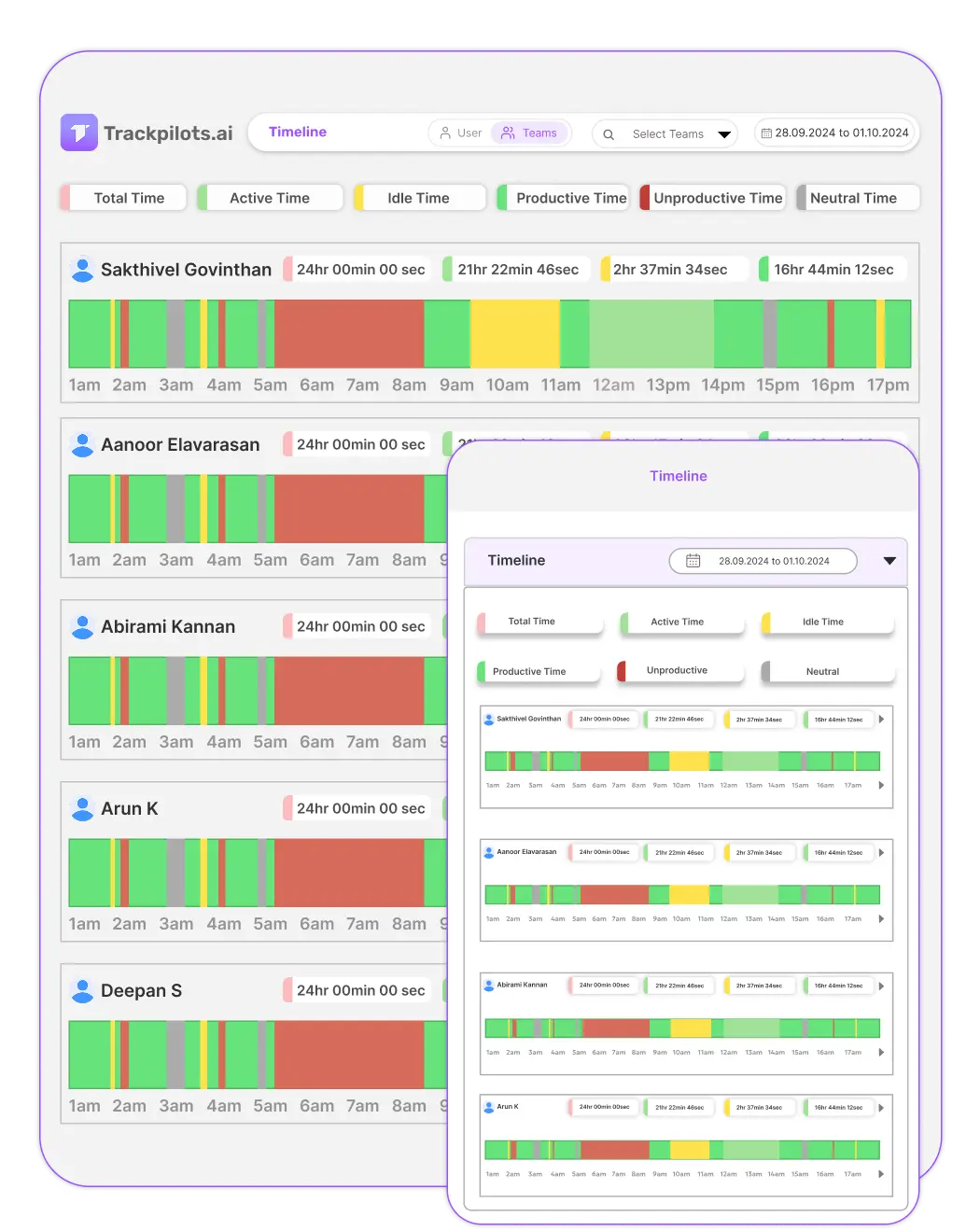
View a detailed history of digital activities.
Activity Timeline records app and website usage logs.
It provides precise timestamps for better productivity analysis.
Managers can review work patterns and optimize performance.
This feature enhances transparency and efficiency.
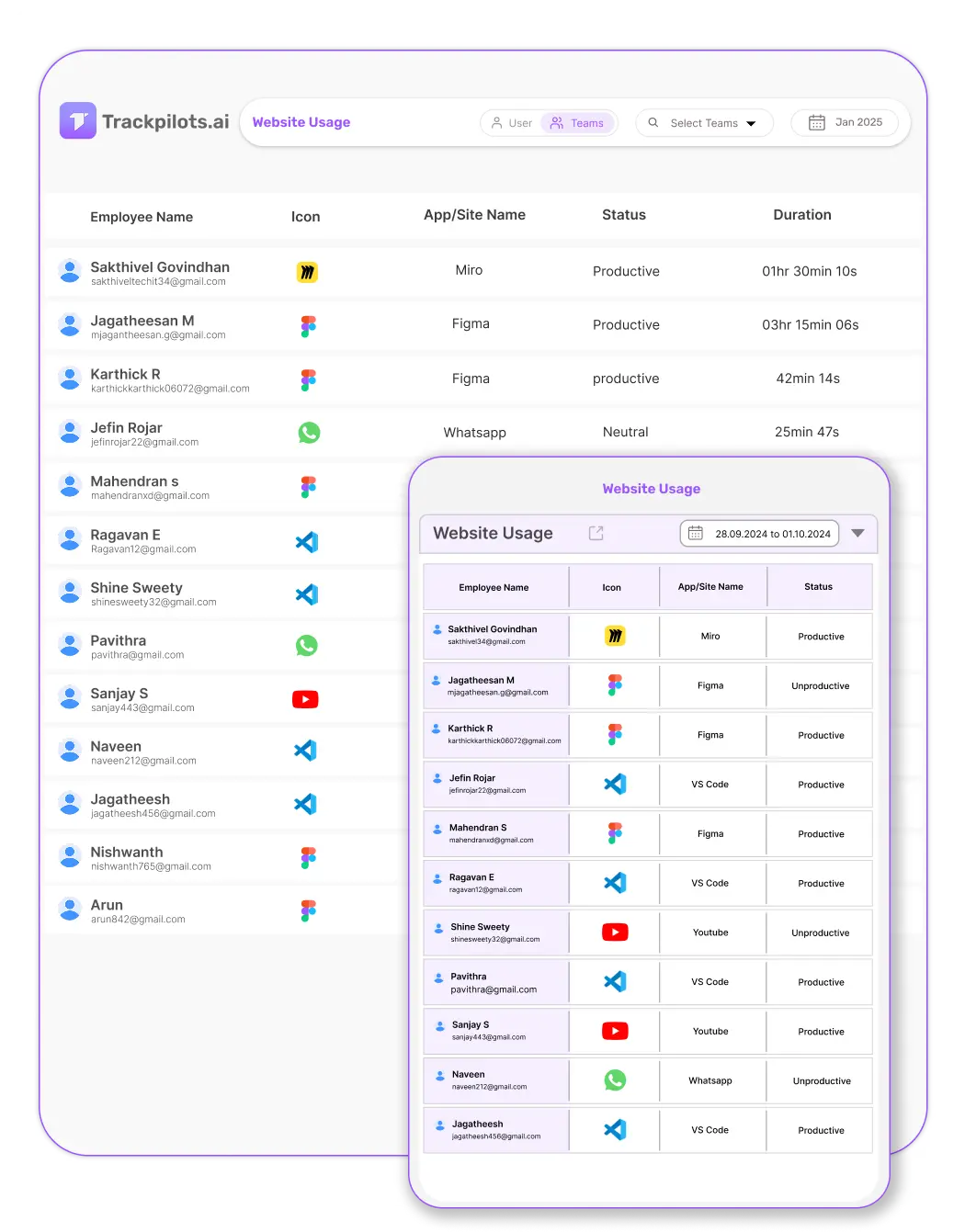
Capture real-time screenshots for better transparency
Screenshot Tracking captures real-time snapshots at set intervals.
It ensures transparency and accountability without disrupting productivity.
Managers can track task progress and identify bottlenecks.
This feature enhances security while respecting privacy guidelines.
What Apps and Websites Does Trackpilots Monitor?
Trackpilots works as a lightweight background agent on Windows, macOS, and Linux. It captures the active foreground application and browser URL every few seconds, building a precise timeline of how each employee spends their workday. Every application that runs on the employee's computer is logged automatically — no manual setup per app required.

Communication
Slack, Microsoft Teams, WhatsApp, Zoom, Google Meet, Skype
Time spent in messaging and video call applications is logged by window title and process name. Trackpilots distinguishes between an employee actively composing messages versus leaving Slack open in the background — so communication time is counted accurately.
Productivity
Microsoft Excel, VS Code, Figma, Notion, Adobe Photoshop, AutoCAD
Core work tools are tracked with active-focus time, not just open-window time. If an employee has Excel open but is browsing social media in another window, only the focused foreground application is counted — giving you honest productivity data.
Social Media
YouTube, Instagram, Reddit, Facebook, Twitter/X, LinkedIn
Social media visits are captured with URL-level detail in browsers. Each site shows time spent per session and per day. This employee app monitoring software flags social media usage automatically so managers can spot patterns without manually reviewing logs.
Browsers
Chrome, Firefox, Edge, Safari, Brave
Browser monitoring goes beyond 'time in Chrome' — Trackpilots logs each domain visited and the time spent on it. Website monitoring for employees captures both the application (browser) and the specific site, so you see the full picture of online activity.
Any application not in the predefined list is still captured by its executable name. If a niche tool or an internal app is used, it will appear in the usage report — and admins can manually label it as productive or unproductive from the settings panel.
Productive vs Unproductive App Categorization
How Admins Label Apps
From the Trackpilots settings panel, admins can mark any application or website as Productive, Unproductive, or Neutral. Common tools like VS Code, Figma, and Excel are pre-labelled as productive out of the box. Distracting sites — YouTube, Instagram, Reddit — are flagged as unproductive by default. Labels can be customised per role: YouTube may be unproductive for a developer but productive for a video editor.
This role-aware categorization is what makes Trackpilots more than a raw activity logger. Rather than block distracting websites tracking at the network level, it gives managers visibility and context — so conversations about productivity are backed by data, not assumptions.
How It Feeds the Productivity Score
Every employee receives a daily productivity score calculated from their categorized activity. Time spent in productive apps counts positively; time in unproductive apps reduces the score; neutral apps are excluded from the calculation entirely.
The result is a percentage score — visible on the manager dashboard — that reflects genuine focus on work rather than simply being logged in. This score powers the team-level productivity report, helping managers identify which employees or teams need coaching, workload adjustment, or additional support without reviewing hundreds of screenshots manually.
Track work hours accurately for efficiency
Timesheet Insights accurately track work hours for efficiency.
It helps businesses monitor productivity and optimize workflows.
Managers can analyze time spent on tasks and projects.
This feature ensures accountability and improves workforce management.
Multi-Platform Compatibility
Seamlessly track and monitor across Windows, Linux, and Mac for complete flexibility.

Still Need Help?
Drop us a line at team@trackpilots.com or hit us up in the chat at the bottom right corner, and we'll help you out.