Enhancing Workplace Efficiency with Productivity Analysis Software

Employee Productivity Analysis

Boost performance and streamline operations with advanced productivity analysis software. Optimize workplace efficiency through real-time tracking and insightful analytics.

Detailed Dashboard
Associate Rank
Productivity Analysis
Work Activity Log
  • Free Trial

  • No Credit Card Required

  • Exclusive Support

Employee productivity analysis software dashboard hero image
INTRODUCTION
Definition

Employee productivity analysis software is a tool that measures how employees spend their work time — tracking active hours, app usage, and output — and generates reports that help managers identify performance trends, coach underperformers, and optimise team efficiency.

What is Trackpilots Employee Productivity Analysis?

Trackpilots offers a comprehensive productivity analysis solution with Detailed Dashboard, Associate Rank, Productivity Analysis, and Work Activity Log to enhance efficiency, ensure accountability, and optimize workflows.


  • Free 30 days trial

  • Exclusive Support

  • No Fees

Trackpilots employee monitoring software dashboard

All-in-One Employee Productivity Suite

  • Real-time productivity scoring per employee and team

  • Detailed dashboard with active hours and app usage breakdowns

  • Associate rank — compare employee performance side by side

  • Work activity log with timestamped session records

  • Weekly and monthly trend reports generated automatically

  • Configurable productive app classifications per role


  • No Credit Card Required

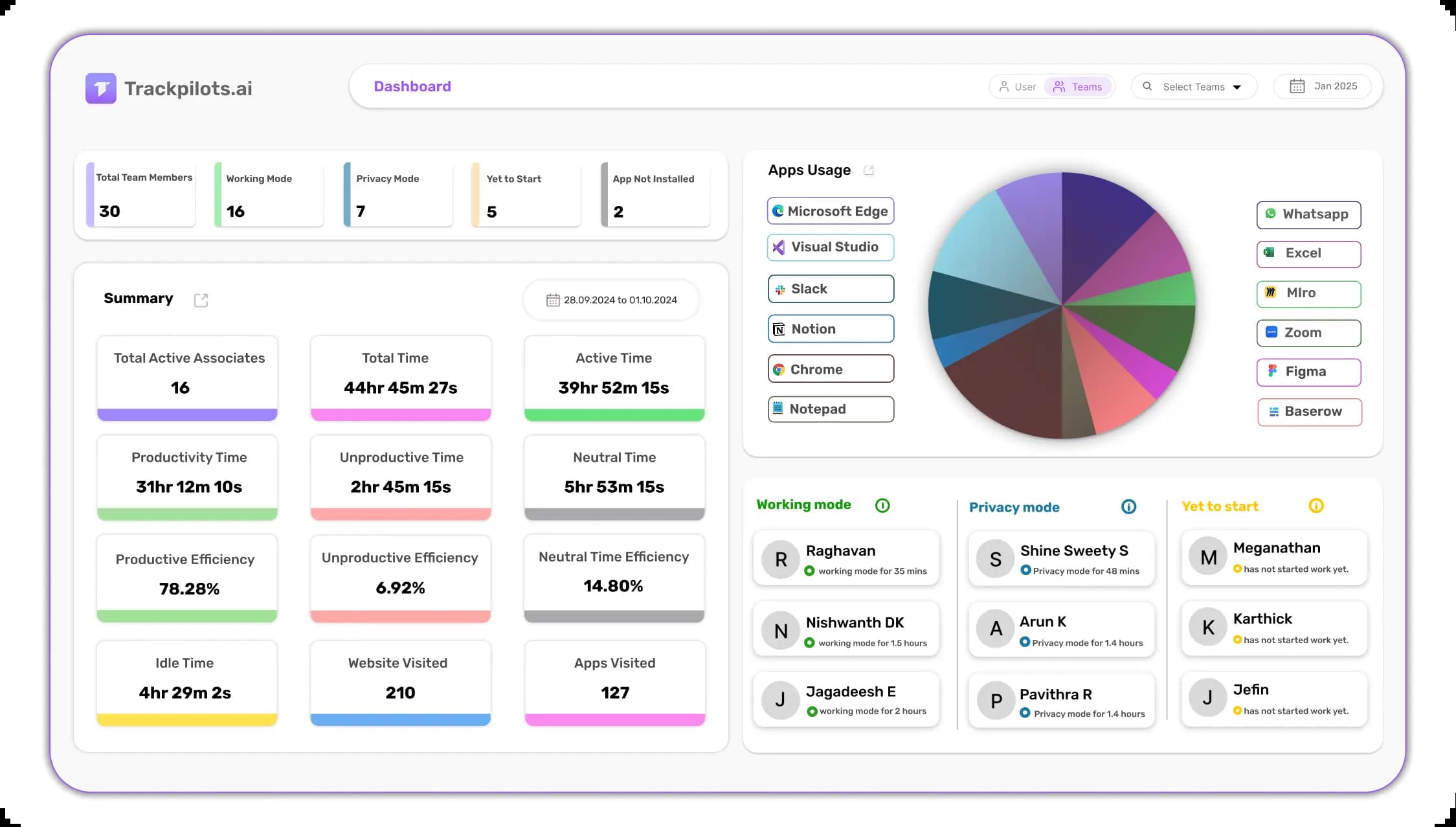
Detailed Dashboard

Get a comprehensive view of employee work activity in real time.

Associate Rank

Evaluate and rank employees based on key performance metrics.

Productivity Analysis

Measure and analyze employee productivity in real time.

Work Activity Log

Monitor and log all essential work activities seamlessly.

How Trackpilots Employee Productivity Analysis Software Works

Trackpilots employee productivity analysis software captures, measures, and visualises workforce performance in real time — from individual contributors to department-level trends. Here is the step-by-step process behind every insight.

1. Agent Installs on Every Device

The Trackpilots desktop agent is deployed on each employee's Windows, macOS, or Linux device. Once installed, it begins tracking automatically — no manual clock-ins required. The agent records active application usage, website visits, and keyboard and mouse activity as a productivity score. All data collection runs silently in the background so employees are never interrupted, and the lightweight process uses minimal system resources.

2. Apps and Sites Are Classified

Every application and website is automatically classified as Productive, Unproductive, or Neutral based on the employee's role and department. A developer visiting GitHub is productive; the same visit is unproductive for a sales agent. Managers can customise classifications at the team or individual level, so the staff productivity analysis reflects real-world work patterns — not generic defaults. This classification layer is what separates meaningful insight from raw data.

3. Productivity Scores Are Calculated

Trackpilots calculates a real-time productivity score for each employee based on the ratio of productive to total active time. Scores update throughout the day and are visible in the live dashboard. Managers can filter by individual, team, or department to compare performance side by side. The system also flags idle periods and unproductive streaks with configurable alerts, so issues are caught early — not in the next quarterly review.

4. Trend Reports Are Generated

At the end of each shift, day, week, or month, Trackpilots automatically generates productivity reports. Productivity monitoring with trend analysis lets managers compare performance over time — spotting whether scores are improving, declining, or holding steady after a process change. Reports include heatmaps showing peak focus hours, department-level breakdowns, and associate rank tables that list top performers and those who need coaching. All reports are exportable for payroll, HR review, or client billing.

From first login to actionable insight, Trackpilots employee productivity analysis software gives managers a complete picture of workforce performance — without manual data entry or end-of-day guesswork.

Start Free Productivity AnalysisBook a Demo
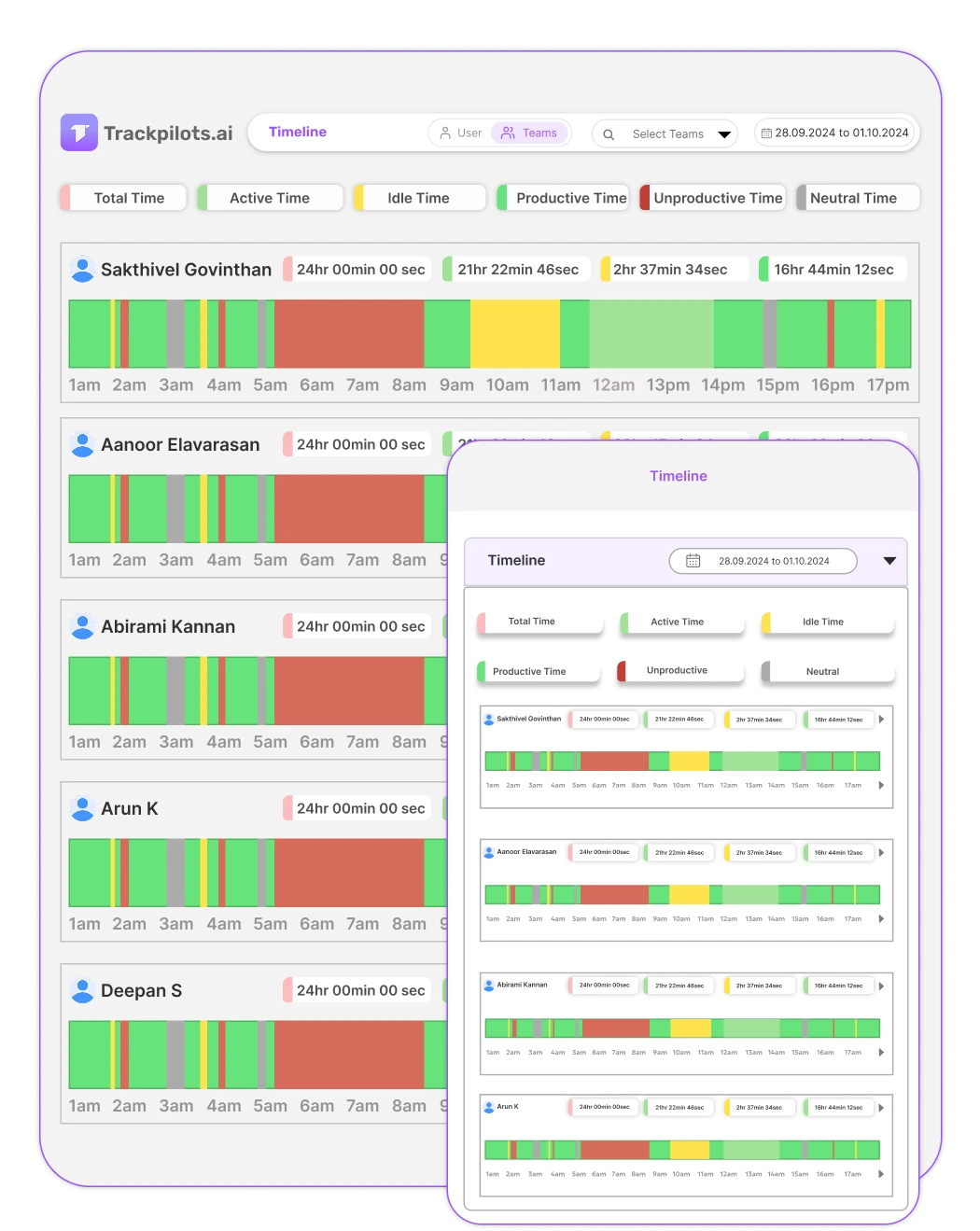
Detailed productivity dashboard showing real-time employee work pattern insights
Detailed Dashboard

Gain real-time insights into employee work patterns

  • Detailed Dashboard provides a comprehensive overview of employee activities.

  • It helps managers track work trends and optimize productivity.

  • Users can analyze performance metrics and improve task efficiency.

  • This feature ensures better decision-making and workflow management.

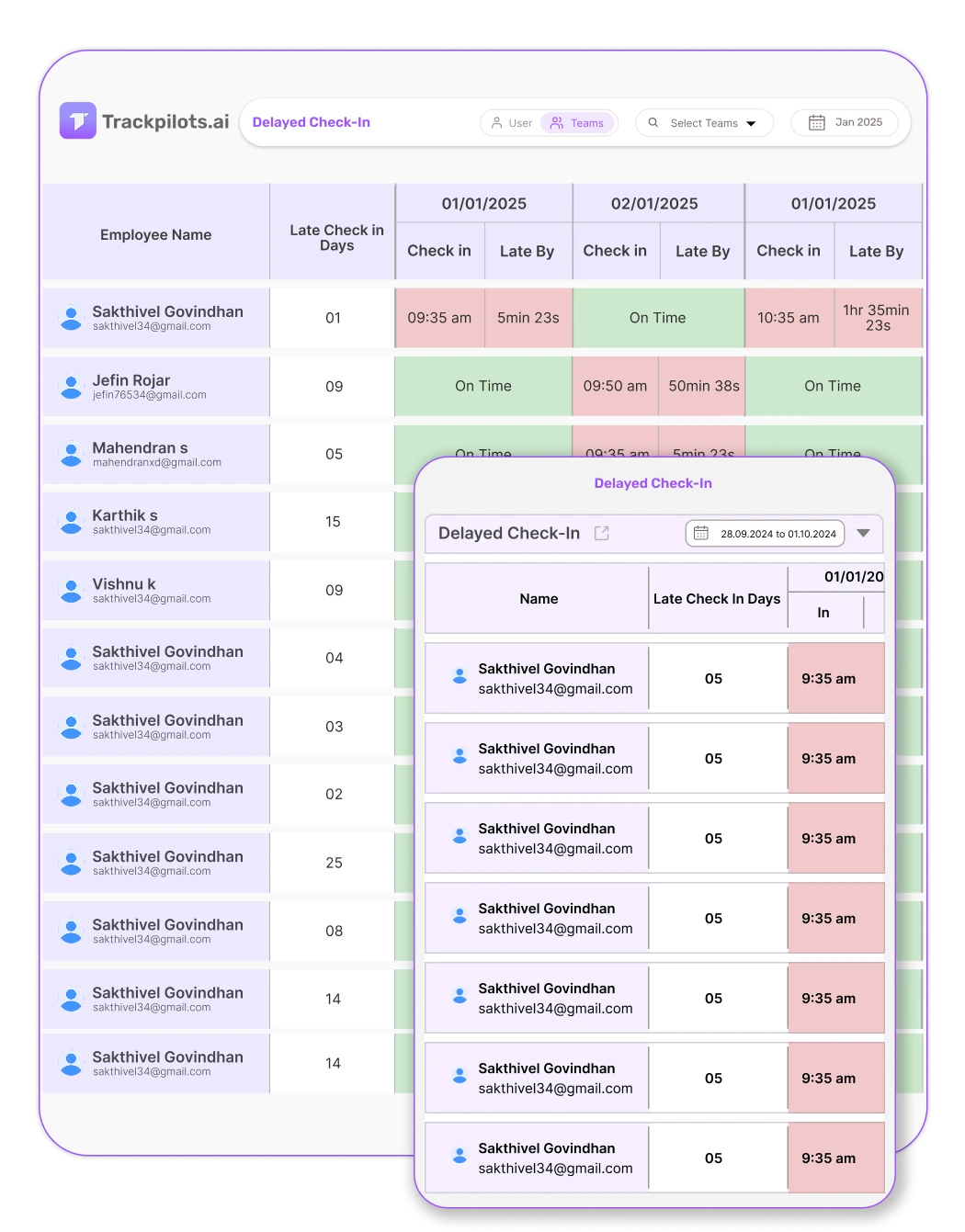
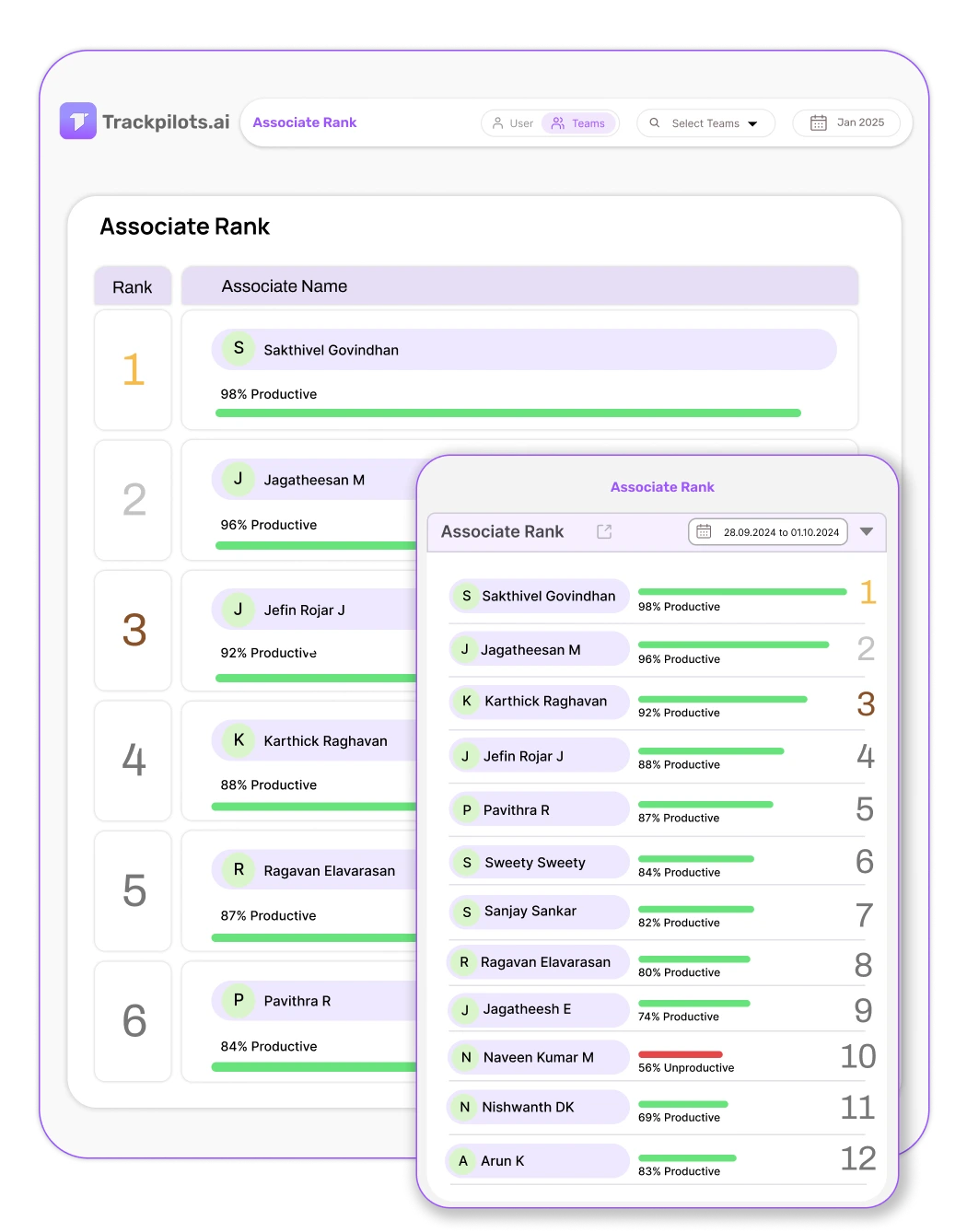
Associate Rank

Evaluate and rank employees based on performance metrics

  • Associate Rank provides a structured ranking system for employees.

  • It helps managers assess performance levels and recognize top contributors.

  • Users can track progress and set benchmarks for improvement.

  • This feature enhances motivation, accountability, and workforce efficiency.

Associate rank leaderboard showing employee performance ranking and productivity metrics
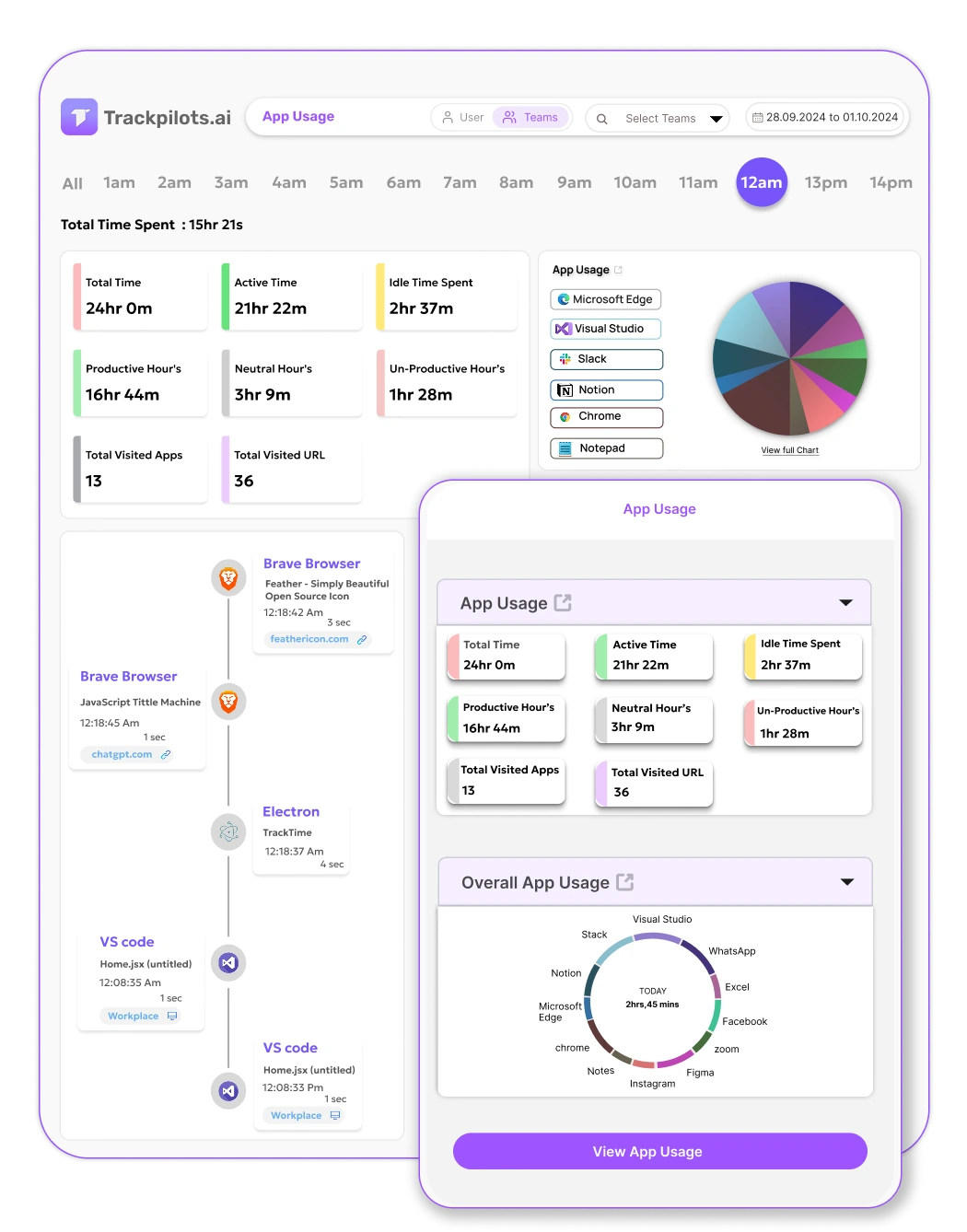
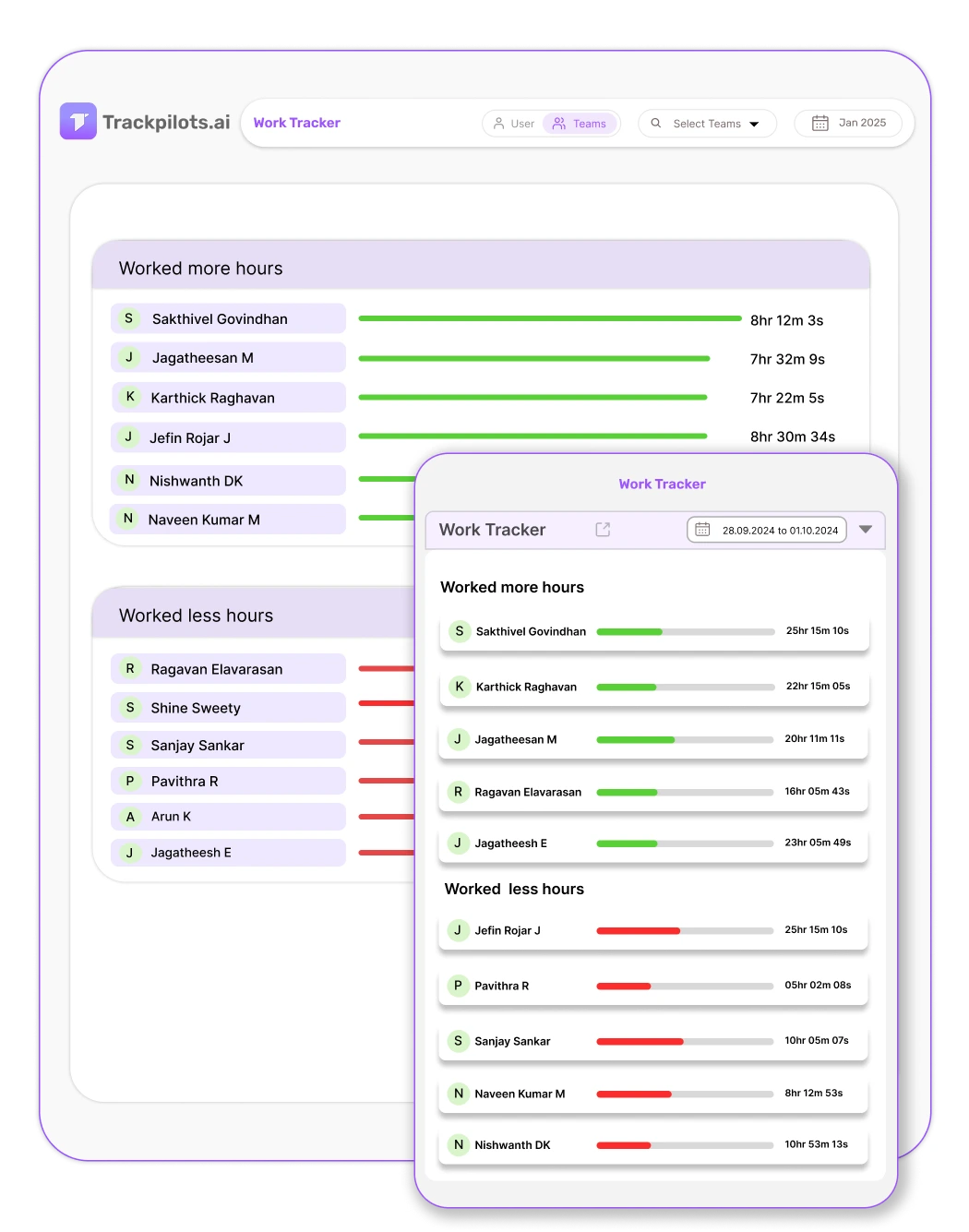
Productivity Analysis

Optimize performance with real-time productivity insights

  • Productivity Analysis tracks efficiency levels across various tasks.

  • It provides data-driven insights to improve workforce output.

  • Managers can identify performance trends and boost engagement.

  • This feature helps businesses maximize overall productivity.

Employee productivity analysis chart with real-time performance insights
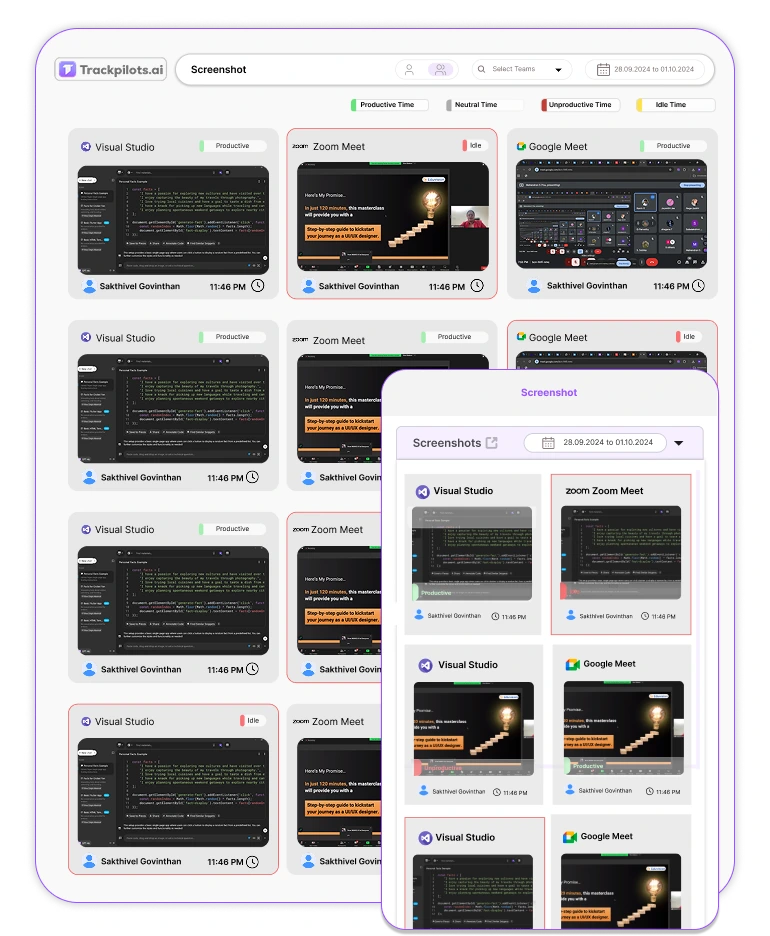
Work activity log showing detailed employee productivity and task engagement
Work Activity Log

Monitor and log employee activities seamlessly

  • Work Activity Log records all key work-related activities.

  • It provides a clear breakdown of employee engagement levels.

  • Managers can track productivity trends and optimize workflows.

  • This feature enhances efficiency while maintaining transparency.

Real-World Use Case

How a 50-Person Remote Team Uses Trackpilots for Department-Level Productivity Analysis

A growing SaaS company with 50 remote employees across engineering, sales, and customer support was struggling to identify where productivity was lost — and which departments were overloaded versus underperforming.

The Challenge

The HR manager had no reliable way to compare productivity across departments. Weekly standups gave anecdotal reports. Timesheets were filled out at the end of the week and often inaccurate. The company had no visibility into whether employees were spending time on deep work or switching between unproductive sites throughout the day.

The engineering team was consistently missing sprint deadlines, but management did not know whether the issue was workload, distraction, or unclear task ownership. The sales team's productivity scores were unknown, and customer support response times were lagging with no clear data on why.

The company needed a staff productivity analysis tool that could show department-level data without requiring employees to self-report their time.

How They Used Trackpilots

The company deployed Trackpilots employee productivity analysis software across all 50 laptops in a single afternoon. Within 24 hours, the dashboard populated with real productivity data — no training required for employees.

  • Engineering department: Managers filtered the productivity dashboard by the engineering team and discovered that developers were highly productive from 9 AM to 12 PM but dropped sharply after lunch. Peak focus hours were rescheduled — deep work blocks were protected and meetings were moved to afternoons.

  • Sales department: Productivity monitoring with trend analysis showed that three out of twelve sales reps had a productive app usage rate below 40%. After reviewing their app logs, it was clear they were spending significant time on non-CRM tools. Targeted coaching improved their scores by 28% in three weeks.

  • Customer support: The associate rank feature identified the top five support agents and the bottom three. HR used the data to pair high performers with struggling agents for peer coaching — without guesswork or manager bias.

Results After 60 Days

+34%

Average productivity score across all 50 employees, up from 58% to 78%.

−22%

Reduction in idle time logged across engineering and support departments.

3 hrs/week

Saved by HR on manual report preparation — automated weekly reports replaced spreadsheets entirely.


The company now runs a monthly staff productivity analysis review using Trackpilots trend reports. Department heads receive automated weekly summaries, and the HR team uses associate rank data to inform promotion decisions — backed by six months of objective performance data, not subjective manager impressions.

Multi-Platform Compatibility

Seamlessly track and monitor across Windows, Linux, and Mac for complete flexibility.


Get Started

Still Need Help?

Drop us a line at team@trackpilots.com or hit us up in the chat at the bottom right corner, and we'll help you out.

Free for Unlimited UsersNo Credit Card RequiredSet up in under 2 minutes