Mac Employee Monitoring Software
Trackpilots runs natively on macOS Sonoma, Ventura, and Monterey — with full Apple Silicon (M1/M2/M3/M4) support. Automatic screenshots, stealth mode, attendance tracking, and productivity reports. Free for unlimited Mac users.
Runs on Every Modern Mac — Intel and Apple Silicon
Trackpilots ships as a universal binary, meaning the same installer runs natively on both Intel and Apple Silicon Macs — no Rosetta emulation required. Performance is identical across chip architectures, with minimal CPU and RAM usage so employee devices stay fast.
macOS Sonoma (14)
Fully Supported
Latest release — native support, all features available
macOS Ventura (13)
Fully Supported
All features including stealth mode and screenshots
macOS Monterey (12)
Fully Supported
Full feature parity with Sonoma and Ventura
macOS Big Sur (11)
Fully Supported
First Apple Silicon release — M1 native support
macOS Catalina (10.15)
Supported
Core monitoring features available
macOS 10.11 – 10.14
Legacy Support
Basic activity tracking — screenshot capture limited
Apple Silicon Macs (M1, M2, M3, M4) are fully supported with no performance overhead. Trackpilots uses less than 1% CPU on idle and under 60 MB of RAM during active monitoring — your employees will never notice it running.
How to Install Trackpilots on Mac — 5 Minutes
macOS requires explicit privacy permissions before any app can record the screen or observe other applications. Trackpilots needs two: Screen Recording and Accessibility. Both are granted in System Settings and take under a minute to configure.
Download the macOS Agent
Go to the Trackpilots downloads page and download the .dmg installer for macOS. Open the .dmg, drag Trackpilots to your Applications folder.
Grant Screen Recording Permission
Open System Settings → Privacy & Security → Screen Recording. Find Trackpilots in the list and toggle it on. This allows the agent to capture screenshots.
Grant Accessibility Permission
Still in Privacy & Security, go to Accessibility. Toggle Trackpilots on. This allows the agent to detect active application windows and measure work activity.
Restart the Agent
After granting both permissions, quit and relaunch Trackpilots. The agent will connect to your admin dashboard automatically using the employee's login credentials.
Verify in the Dashboard
Log in to your Trackpilots admin dashboard. The employee should show a green online status and screenshots should begin appearing within the first monitoring interval.
For organisations managing a Mac fleet via MDM (Jamf, Mosyle, Kandji, or Apple Business Manager), Trackpilots permissions can be pre-approved silently across all devices — no user interaction required. Contact us for MDM deployment configuration profiles.
Everything You Need to Monitor Mac Employees
Screenshot Monitoring
Automatic screenshots every 1, 5, 10, or 20 minutes. Screenshots are timestamped, tagged to the active user, and stored securely in the cloud. The free plan captures every 20 minutes for unlimited Mac users. The Starter Pack enables 1-minute intervals.
Stealth Mode
Trackpilots Starter Pack includes stealth monitoring on Mac. No menu bar icon, no dock entry, no notification. The agent runs silently in the background — invisible during day-to-day use while continuing to capture screenshots and track activity.
Automatic Attendance
Clock-in is recorded when the employee opens Trackpilots and starts working. Clock-out is logged when activity stops. No manual time entries. Attendance reports are available in the dashboard and exportable to CSV for payroll.
App & Website Tracking
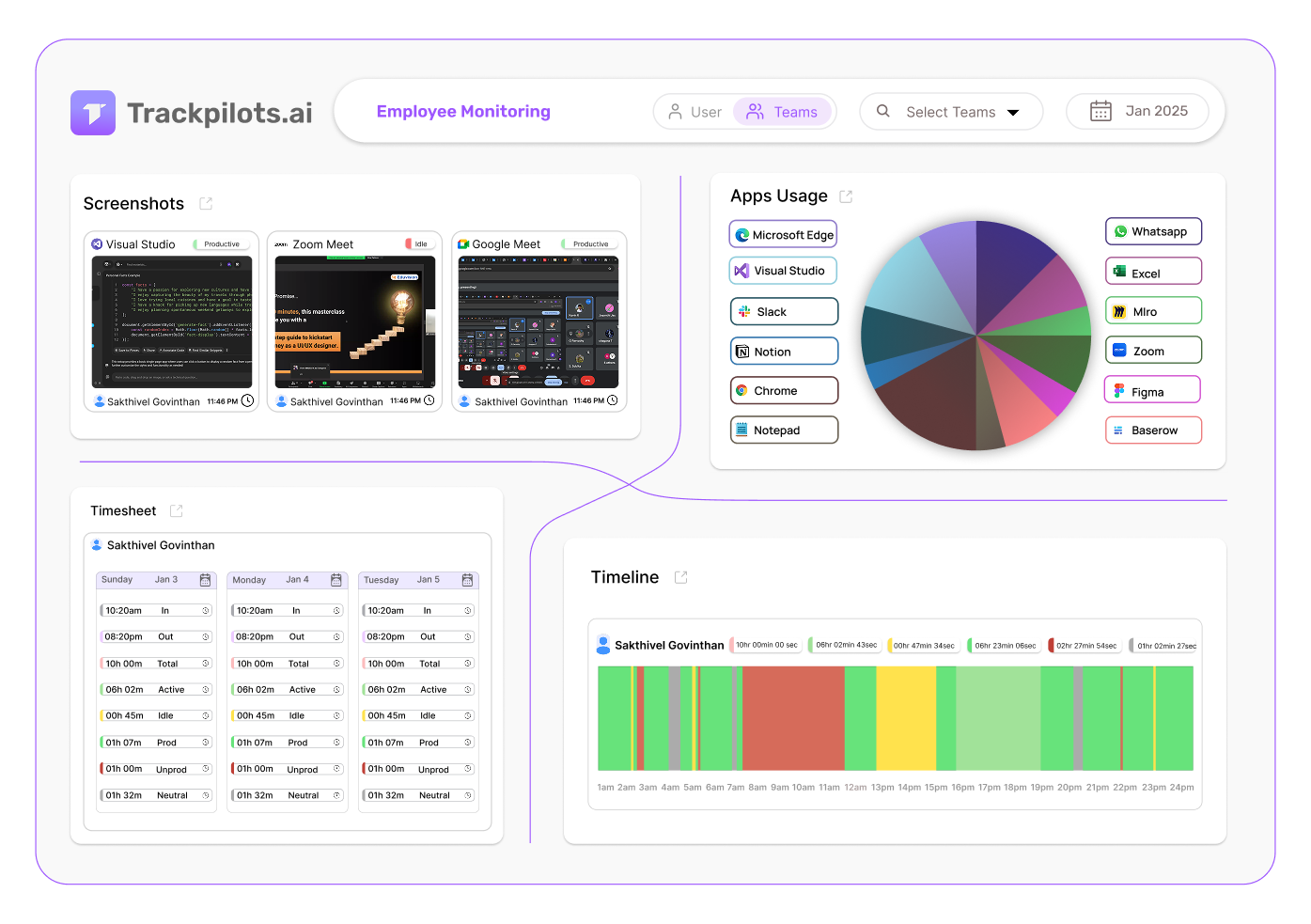
See exactly which apps and websites each Mac employee uses, and how much time they spend on each. Categorise applications as productive, neutral, or non-productive to generate accurate productivity scores.
Inactivity Alerts
Get notified when a Mac employee has been logged in but inactive for longer than a configured threshold — useful for remote teams where employees sometimes forget to log out at the end of the day.
Productivity Dashboard
Review daily and weekly productivity scores, active vs idle time breakdowns, and app usage summaries for every Mac employee in your team — all from a browser-based admin dashboard that works on any device.
Start Monitoring Mac Employees — Free
Trackpilots is free for unlimited Mac users. The free plan includes screenshots every 20 minutes, attendance tracking, and productivity analytics. Upgrade to Starter Pack at $3.99/user/month (or $3.19/month billed annually) for 1-minute screenshots, stealth mode, and 1-year data retention.
Multi-Platform Compatibility
Seamlessly track and monitor across Windows, Linux, and Mac for complete flexibility.

Still Need Help?
Drop us a line at team@trackpilots.com or hit us up in the chat at the bottom right corner, and we'll help you out.