Trackpilots MCP ServerAsk ChatGPT, Claude, Cursor or Codex about your team's attendance and productivity
The Trackpilots MCP Server lets ChatGPT, Claude, Cursor and Codex answer questions about your team's attendance, work time and productivity in plain language. Ask who is working right now, or how a team's week compares to the last.
Works With ChatGPT, Claude, Cursor & Codex
Nothing Can Be Changed
Signs In With Your Own API Key
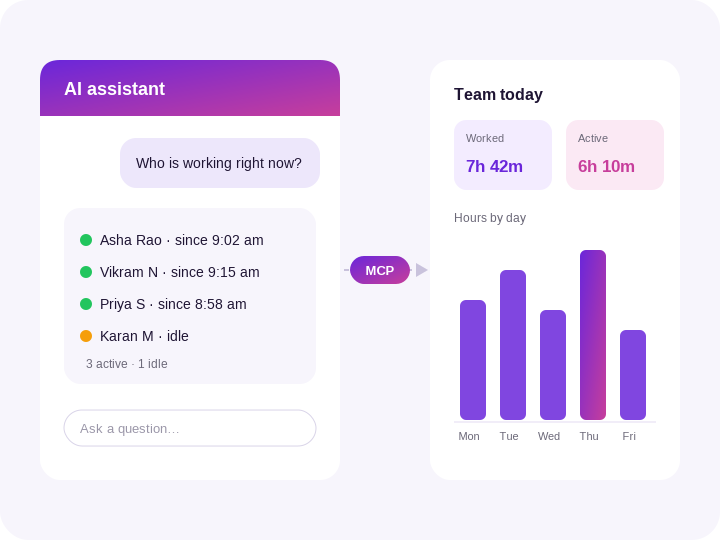
Ask Your AI Assistant About Your Team
Reports are useful. Asking a question and getting an answer is faster.
The Trackpilots MCP Server exposes your attendance, work time, screenshot, app usage and report data as tools. Your AI assistant calls the right tool when you ask a question, then answers from the data it returns.
The server follows the Model Context Protocol, an open standard for connecting AI tools to external data. Every call uses your own API key, so Trackpilots' access rules still decide what you can see.
Connected in Three Steps
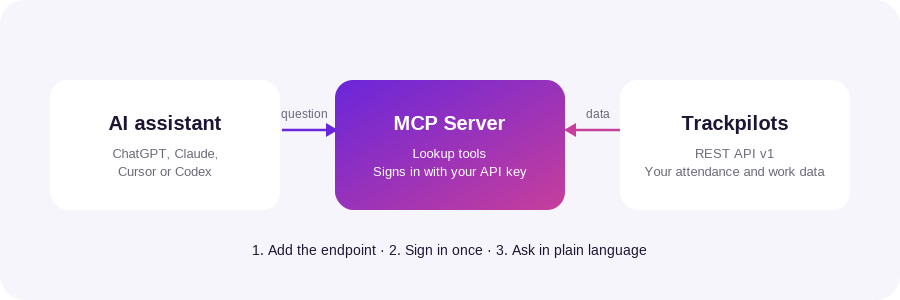
Add the endpoint
Add https://mcp.trackpilots.com/mcp to your AI assistant as a remote MCP server. Nothing needs to be installed.
Sign in once
Paste your Trackpilots API key on the sign-in page. It is checked with Trackpilots before access is granted.
Ask in plain language
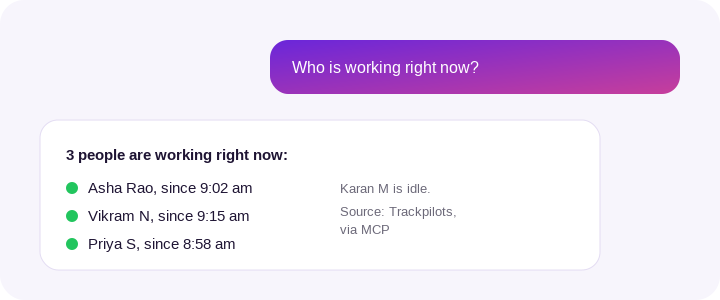
Ask who is working, what a team logged this week, or how one person's time breaks down. The assistant looks it up for you.
What You Can Ask
Secure, With Your Own Key
Your API key is checked when you sign in and held in server memory. It is not written to disk or logged.
Safe by design
No tool can create, edit or delete data in Trackpilots.
Your key, your access
Every call uses your API key, so Trackpilots' own access rules decide what you see.
Revocable any time
Delete the key on the API Keys page and every client that uses it loses access.
Setup steps, the full tool list and the developer reference are in the MCP Server documentation.
MCP Server Questions
What is the Trackpilots MCP Server?
It is a Model Context Protocol (MCP) server. It connects AI assistants such as ChatGPT, Claude, Cursor and Codex to your Trackpilots data, so you can ask about attendance, work time and productivity in plain language.
Can the MCP Server change anything in Trackpilots?
No. Nothing can be created, edited or deleted in Trackpilots through the MCP Server.
Which AI assistants does it work with?
ChatGPT, Claude (web, desktop and Claude Code), Cursor and the Codex CLI. Any client that supports remote MCP servers with OAuth sign-in should also work.
What do I need to connect?
A Trackpilots account with Full Access and a Trackpilots API key. Create the key from Developer Tools, then API Keys, in your dashboard.
How is my API key stored?
The key is checked with Trackpilots when you sign in and held in server memory for your session. It is not written to disk or logged.
Ask your team's questions in plain language
Connect your AI assistant in a few minutes. Start on the free plan and add the MCP Server when you are ready.
Still Need Help?
Drop us a line at team@trackpilots.com or hit us up in the chat at the bottom right corner, and we'll help you out.